

Hi Josh,
The visualiser in the screenshots is Capture used for demonstration purposes, unfortunatly It is not a part of EMU.
As for adding your fixtures to mapping, any fixture with RGB mixing should be automatically detected and shown on the fixtures list left of the canvas. Similar any groups with all RGB mixable fixtres will be shown under the groups tab. you can then drag them from that fixture bin and place them on your canvas.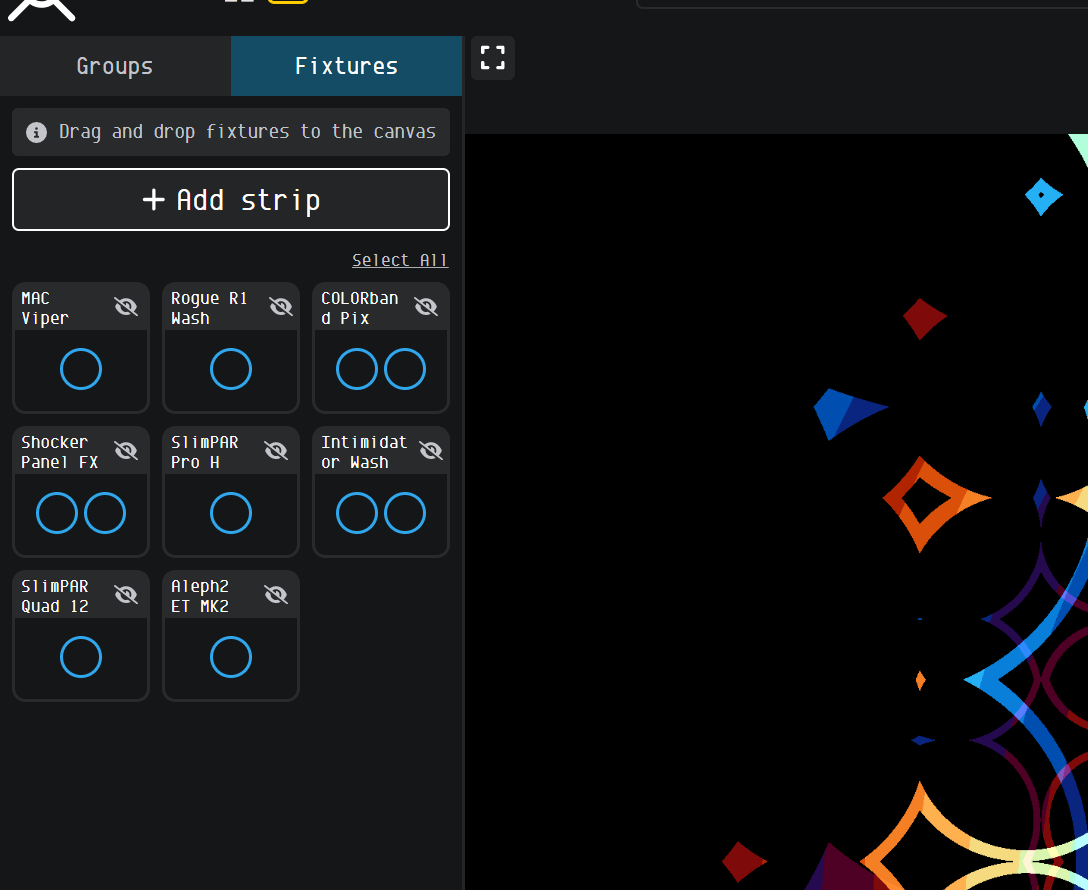
Josh Lauderback
Hello,
With the latest beta update for version 26.1.23.3, I see on the website that there is some kind of visualizer now? I wanted to learn more about this, and try to gain a better understanding on how the mapping works. I have 2 different fixtures. One of them is the OPPSK 200W 720LED RGBW DJ Strobe Light, and the other is the U'King ZQ02341. Can you provide insight on "how to" set these up and show these on the mapping screen/visualizer? I have a screen grab of the website to support what I was seeing. Thank you in advance!