
In this article, we will identify a bug in the Standalone mode for the OCTO MK2 and MK3 and outline the steps to fix it.
Standalone in OCTO MK2 and MK3 allows users to create a looping gradient effect that can be set to play back from power-on without requiring DMX data. This feature is also useful for testing the output of OCTO MK2 and MK3.
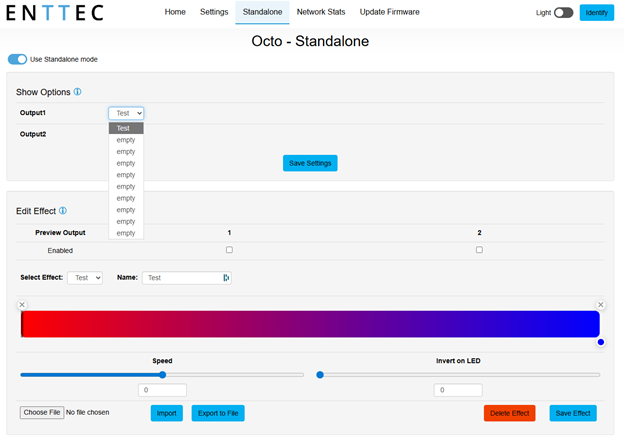
After you’ve created your first Standalone effect and saved that effect, you’ll notice that there isn't output to your pixel strip; this is the bug we have identified. In order to see your Standalone effect play, you simply need to select any other effect slot for your show options, save settings, then reselect your first effect.
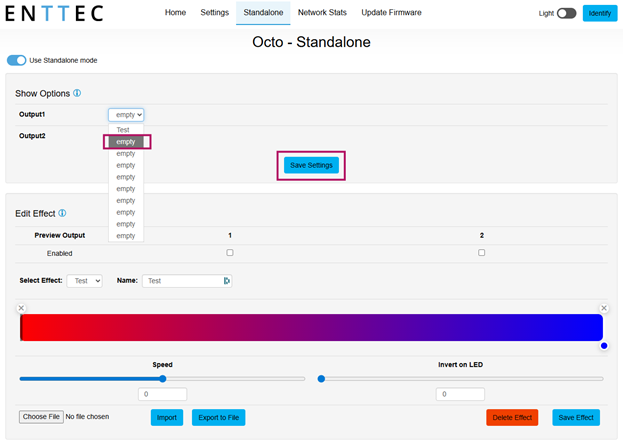
Once you’ve selected the empty effect slot and saved settings, you’ll just need to reselect your first effect and save, and output should immediately start.
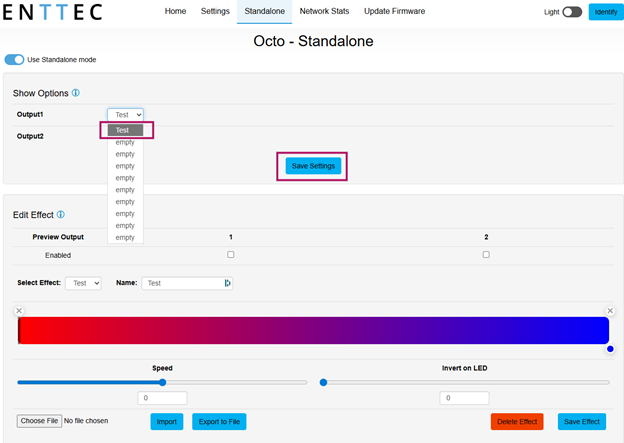
From here, any new effect you create will output once it’s saved and set as your Show Option.