This article explains how to use the Open in ELM feature in Pixel Designer and how to import an existing design into ELM by design number. It applies to ELM build 2026-10-16 or later. Users on an earlier build will not see the Open in ELM option.
Requirements
- ELM build 2026-10-16 or later is required. Earlier builds do not support design import from Pixel Designer.
- A completed design in Pixel Designer at pixeldesigner.enttec.com. No account is needed to create or save a design.
- ELM Free supports designs up to 8 universes. Designs that exceed 8 universes require a licensed ELM seat.
Step 1: complete a design in Pixel Designer
Open pixeldesigner.enttec.com in any browser. The tool is free and requires no account. It is available in 9 languages and accepts metric or imperial units.
Work through the four-step wizard:
- Pick a layout. Choose from facades, outlines, canopies, backdrops, vertical runs, circles, rings, arches, U-frames, spokes, stars and more. Alternatively, describe the project in the free-text field and the tool fills in the form.
- Shape it. Enter the dimensions and dot spacing for your chosen layout.
- Controllers. Specify controller placement. Supported controllers include the OCTO MK3 and the Pixelator Mini with PLink.
- Your design. Review the generated stage, parts list, wiring diagram and string drawings.
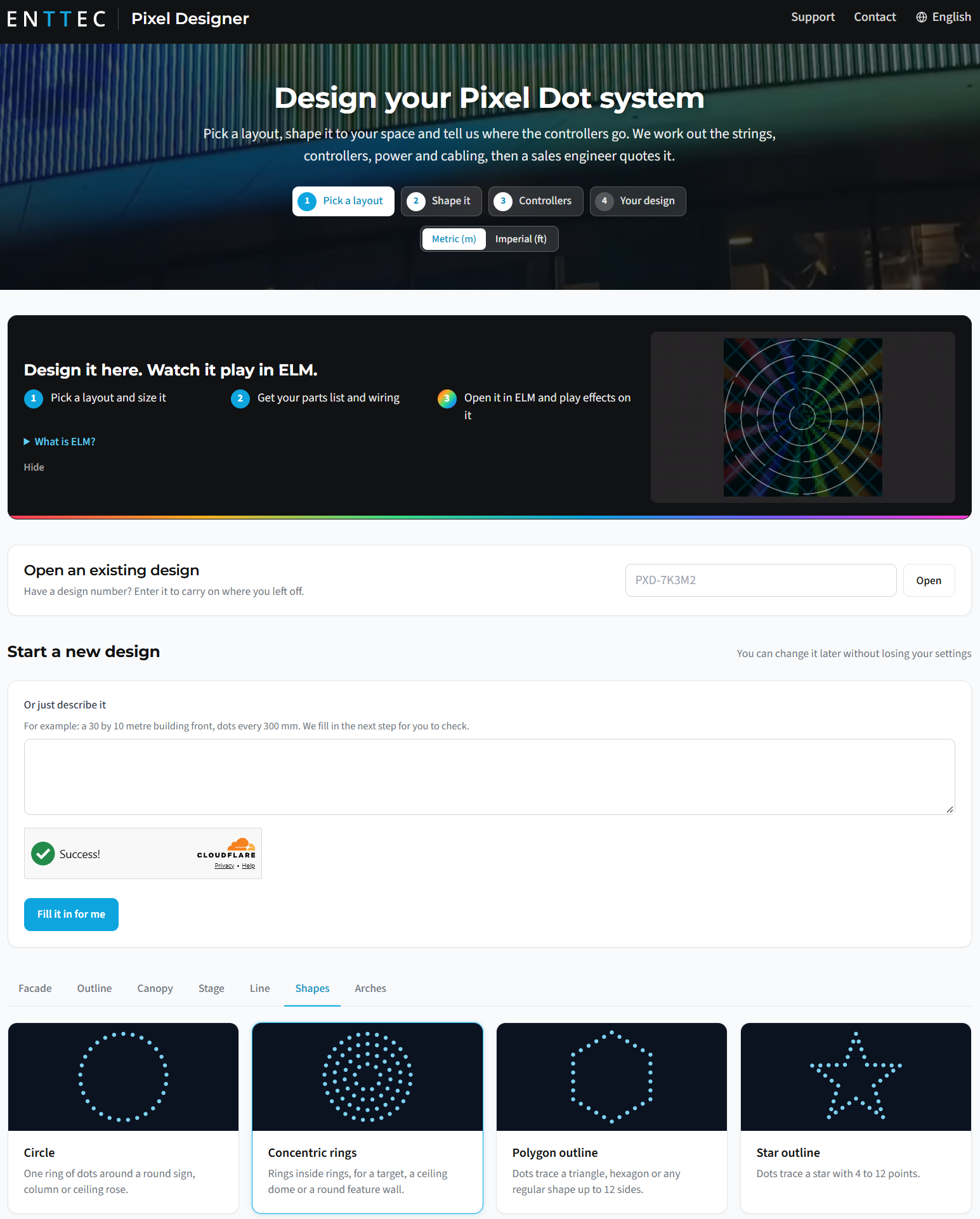
Pixel Designer homepage showing the four-step wizard, the Open an existing design field and the shape-selector tiles.
Once the design is complete, Pixel Designer assigns it a design number (for example, PXD-7K3M2) and a shareable link. Note or copy this number before proceeding.
Step 2: open the design in ELM
On the Your design step in Pixel Designer, click Open in ELM. ELM must already be running on the same machine, at build 2026-10-16 or later.
ELM creates a new stage automatically. The import sets up:
- Every pixel placed in the correct position on the stage.
- Pixels grouped by controller and output.
- Universe and DMX address patching applied to each group, matching the Pixel Designer configuration exactly.
No manual patching is required after import. You can play effects on the stage immediately to verify the layout before ordering any hardware.
Step 3: import an existing design by design number
If you already have a design number (for example, one shared by a colleague or client), you can import it directly into ELM without returning to the Pixel Designer website.
- In ELM (build 2026-10-16 or later), open the Pixel Designer import field.
- Type or paste the design number, for example
PXD-7K3M2. - Confirm the import. ELM retrieves the design and builds the stage, applying the same pixel placement, grouping and patching as the Open in ELM method.
Alternatively, on the Pixel Designer homepage, enter a design number into the Open an existing design field to return to that design in the browser before sending it to ELM.
Sharing a design
Every Pixel Designer design has two shareable identifiers:
- The design number (for example,
PXD-7K3M2), which can be typed into ELM or given verbally. - A share link, which opens the design directly in the Pixel Designer browser tool.
Either can be sent to a colleague or client. The recipient can review the design in Pixel Designer or import it into their own ELM installation using the design number.
What the parts list includes
Pixel Designer generates a parts list alongside the stage. The list is produced using built-in engineering rules covering power budget, voltage drop, data limits and cable reach. It includes:
- Pixel strings with ENTTEC part numbers
- Controllers: OCTO MK3 and Pixelator Mini with PLink
- Power supplies and injection points
- Cables
- A wiring diagram and connection schedule
- One PDF sheet per string with dimensions and order information
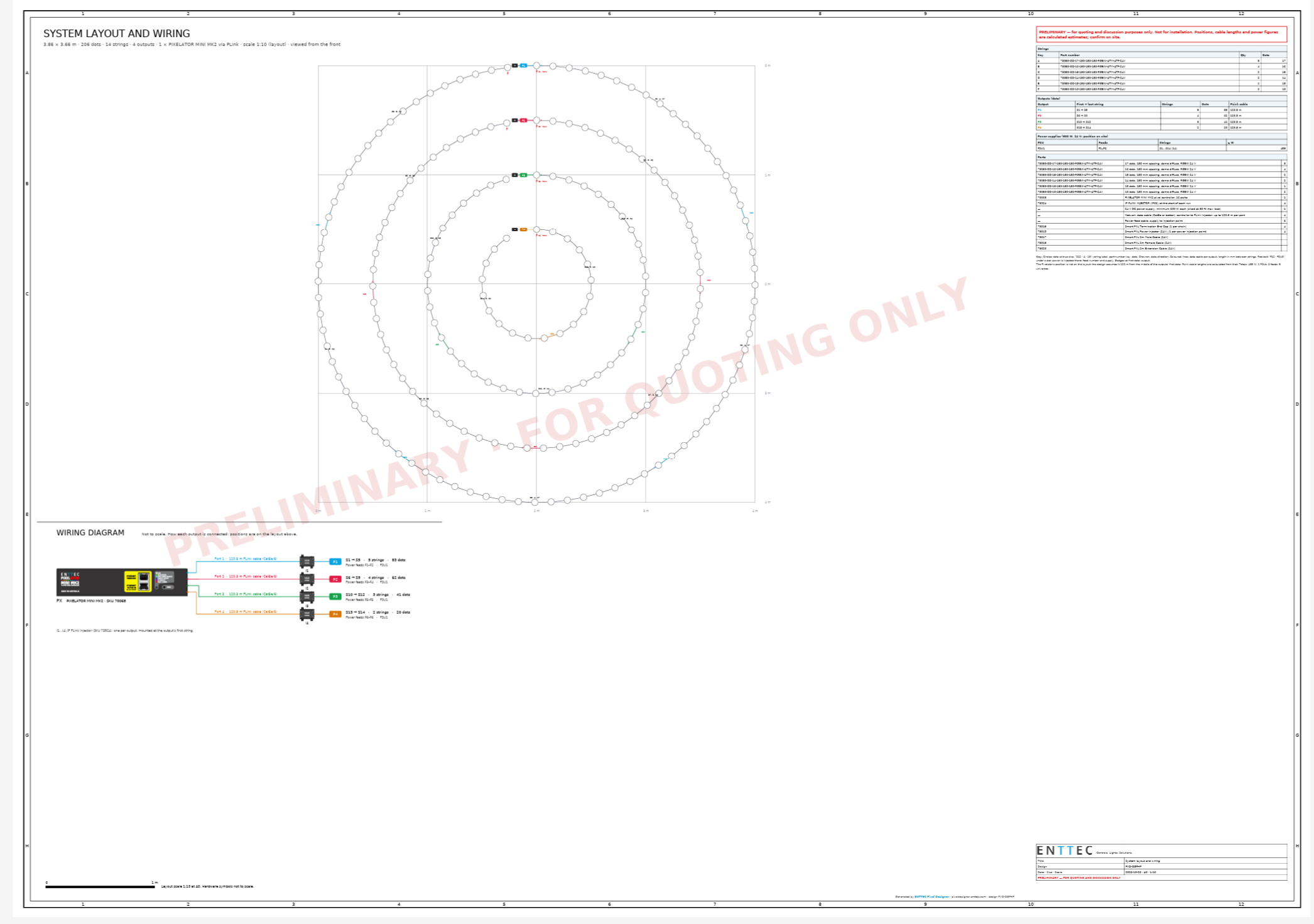
Example PDF export: a concentric-rings layout (3.86 m x 3.86 m, 256 dots, 14 strings, 4 outputs, 1 Pixelator Mini MK2 via PLink) with colour-coded wiring diagram and parts table. Marked "PRELIMINARY: FOR QUOTING ONLY". Final drawings are issued with the quote.
ELM Free: universe limit
ELM Free supports imported designs up to 8 universes. Designs that require more than 8 universes will load in ELM Free but output will be limited to the first 8 universes. A licensed ELM seat is required to operate the full design beyond this limit.
Requesting a quote
Once the design is complete and reviewed in ELM, return to Pixel Designer and press Request a quote on the design number. An ENTTEC sales engineer will review the design and provide a quote covering every part on the list. If no layout in the tool fits the project, use the Ask a salesperson option to contact the team directly.
Upgrade notes
- Open in ELM and design number import require ELM build 2026-10-16 or later. The feature is not available in earlier builds.
- No existing ELM stages or projects are modified by importing a Pixel Designer design. The import always creates a new stage.
- Parts list drawings are preliminary at the Pixel Designer stage. Final drawings are provided with the formal quote.
Design your layout at pixeldesigner.enttec.com.