Important: what this means for you
DMXIS lifecycle:
- Production stopped in 2019.
- Decommissioning officially announced in March 2024 (5 years after production stopped).
- The DMXIS activation/unlock system was shut down in 2026 (2 more years of grace after the official announcement).
If you own a DMXIS USB widget, the hardware still works. Plug it into EMU, ENTTEC's currently-supported control software, and it will output DMX. What you should know before you download:
- EMU is free to download and use forever in 1-universe mode, the same universe count your DMXIS supported. There is no trial period, no expiry and no time limit. If all you did with DMXIS was run one universe of lights from scenes and chases, free EMU covers it and you do not need to pay anything.
- If you used the DMXIS plug-in in a DAW, or triggered it over MIDI, you will need EMU Premium. Free EMU gives you 16 VST3 faders in your DAW rather than the full 512-fader mapping, and it has no MIDI at all: no bank or program-change triggers, no MIDI clock sync, no CC or note mapping. Those were the features that made DMXIS what it was for most musicians, so do not assume the free tier replaces your setup. One further difference worth knowing: EMU does not read the footswitch jack on the DMXIS box, so foot-triggered scene stepping moves to a MIDI pedal or the EMU Hardware Interface, which has its own ¼″ footswitch input.
- Premium is optional, and it is not a rental. A paid EMU licence becomes perpetual: the version you hold when your update window ends stays yours and keeps working. Premium adds up to 32 universes, the full 512 VST3 faders, all MIDI features, and the Crescit fixture library. Full detail: EMU: Free to Download, Premium is Optional.
- To get the plug-in into your DAW: launch EMU once and accept the prompt to install the plug-ins, then rescan plug-ins in your DAW.
Note: ENTTEC no longer issues new unlock codes for DMXIS, and the DMXIS Unlock link previously listed on this page has been removed. The DMXIS 1.70 installers below remain available for anyone who still has a working activation.
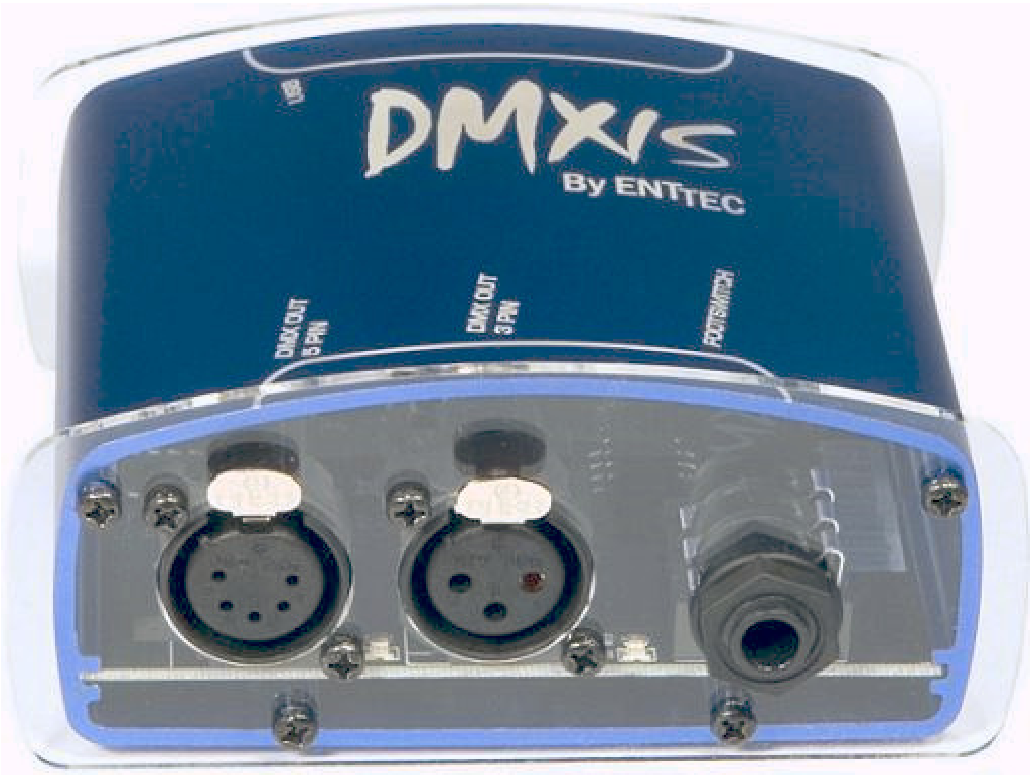
The DMXIS hardware interface: 5-pin and 3-pin DMX out, and the ¼″ footswitch jack.
DISCONTINUED: This product has been superseded by a new piece of software called EMU (70680). DMXIS hardware is compatible with EMU.
DMXIS Setup & Compatibility
In order to unlock DMXIS Software, the (discontinued) DMXIS interface is required. Alongside the DMXIS interface, the user can connect the ODE Mk3 via Ethernet (Art-Net) to send DMX.
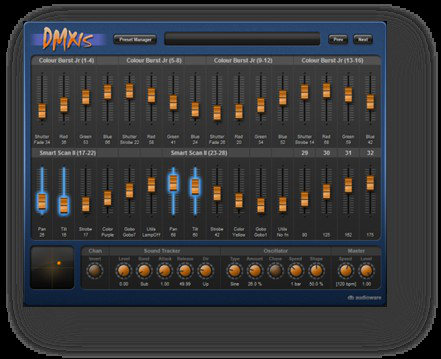
The DMXIS software: fader banks, sound tracker, oscillator and master section.
Software Features
- Easy to use interface: Hardware-style user interface is quick to learn and easy to use. Create static looks, dynamic chases and moving effects with smooth cross-fades. Intuitive tempo-based approach, for synchronisation of lighting and music.
- Control any DMX-512 fixture: Controls any DMX-512 compatible light fixture, including classic dimmer packs, LED fixtures, and intelligent lighting (e.g. scanners and moving heads). DMXIS supports 512 DMX channels and an unlimited number of fixtures.
- Standalone or plug-in: Runs as a standalone app on Windows or Mac, or as a VST plug-in or Audio Unit plug-in with compatible audio applications.
- Lighting control through audio: With DMXIS you pre-program your entire light show in advance, then step through it live using a footswitch plugged into the DMXIS hardware interface. If you use audio software in your live show, the DMXIS plug-in (VST or Audio Unit) runs your lights directly from it, so the show follows the performance even if you change tempo live.
Moving to EMU? The equivalents are the EMU plug-in (VST3, or Audio Unit on Mac) and MIDI triggering, both Premium. See Configuring EMU with Ableton for the DAW workflow.
Hardware Features
- Outputs one DMX-512 universe (512 channels of control)
- Full microprocessor control (guarantees reliable DMX operation)
- 1500V full isolation (protects your computer)
- 3-pin and 5-pin DMX outputs (compatible with any DMX-512 light fixture)
- Powered directly from the USB cable
- ¼″ footswitch input for easy scene switching
Documentation & Files
Documentation and files for the DMXIS (70570).
Apps
Documents
Links
Software Requirements
Mac: OSX 10.7 or later, Intel Core Duo processor or better, 512MB memory, 1024×768 display (minimum). DMXIS 1.6.3 and later is compatible with macOS 10.13 and 10.14. OSX 10.4 to OSX 10.6 is only supported by DMXIS 1.1.2.
Windows: Windows XP, Vista, 7, 8 and 10. Celeron 1GHz processor or better, 1GB RAM, 1024×768 display resolution.
DMXIS is no longer in active development and receives no operating-system compatibility updates. If your machine has moved past these versions, EMU is the supported path.